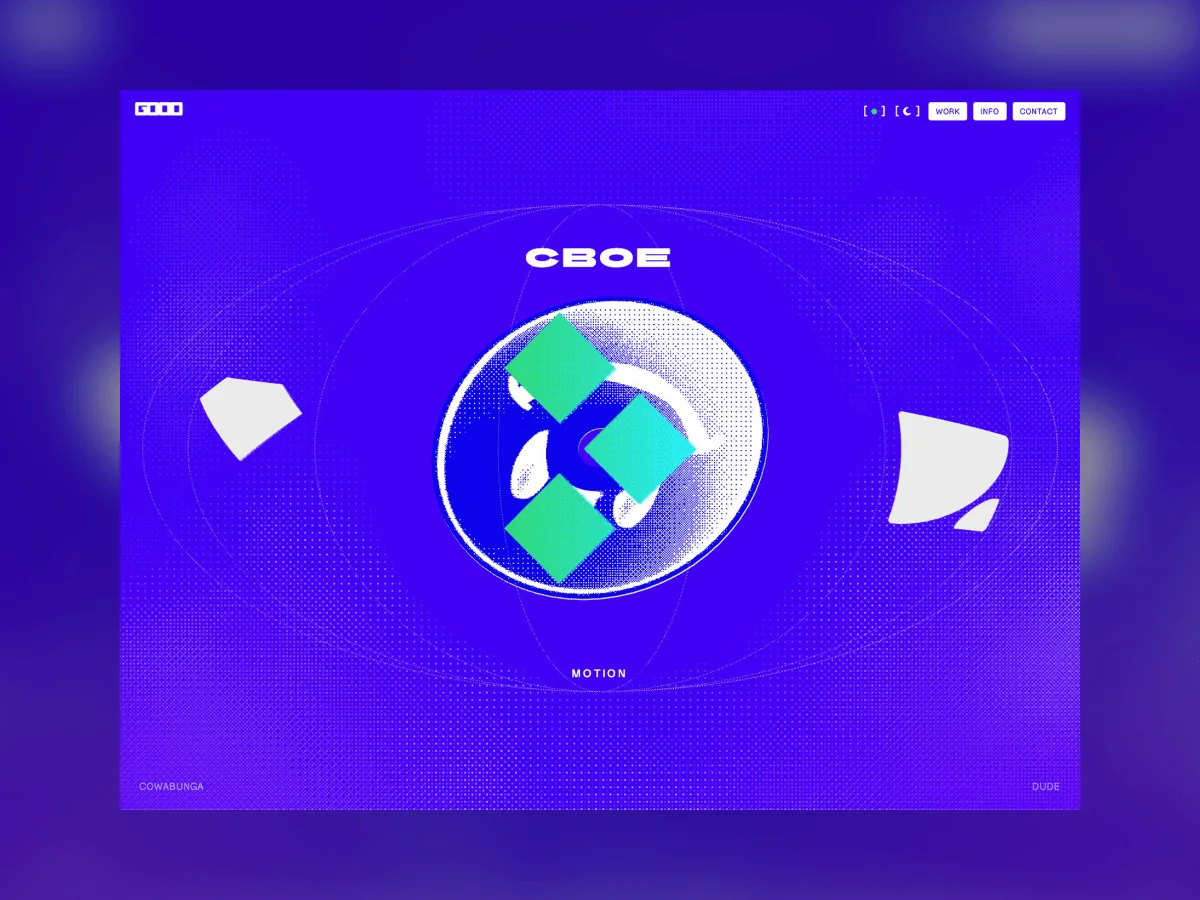
Crafting a personal portfolio can spark excitement, yet it often feels overwhelming. The creative control and vision rest solely on you, which can complicate decision-making about aesthetics and functionality. For my site, I aimed to set a clear visual direction while adhering to a timeline to avoid stalling the project indefinitely.
My fondness for the late '90s and early 2000s gaming era heavily influenced my design ethos. The startup screens of consoles like the PlayStation and Dreamcast are etched in my memory and I wanted to channel that nostalgia. For me, this wasn't just a longing for the past; it was about capturing that unique experience of powering on a console and unveiling its potential.
The Sketching Process
In creating my site, I aimed to push past my comfort zone. While I'm proficient in HTML, CSS, and JavaScript, there’s much more that lies outside my usual toolkit. This is where Claude Code entered my workflow, allowing my ideas to find form in ways I hadn’t previously achieved.
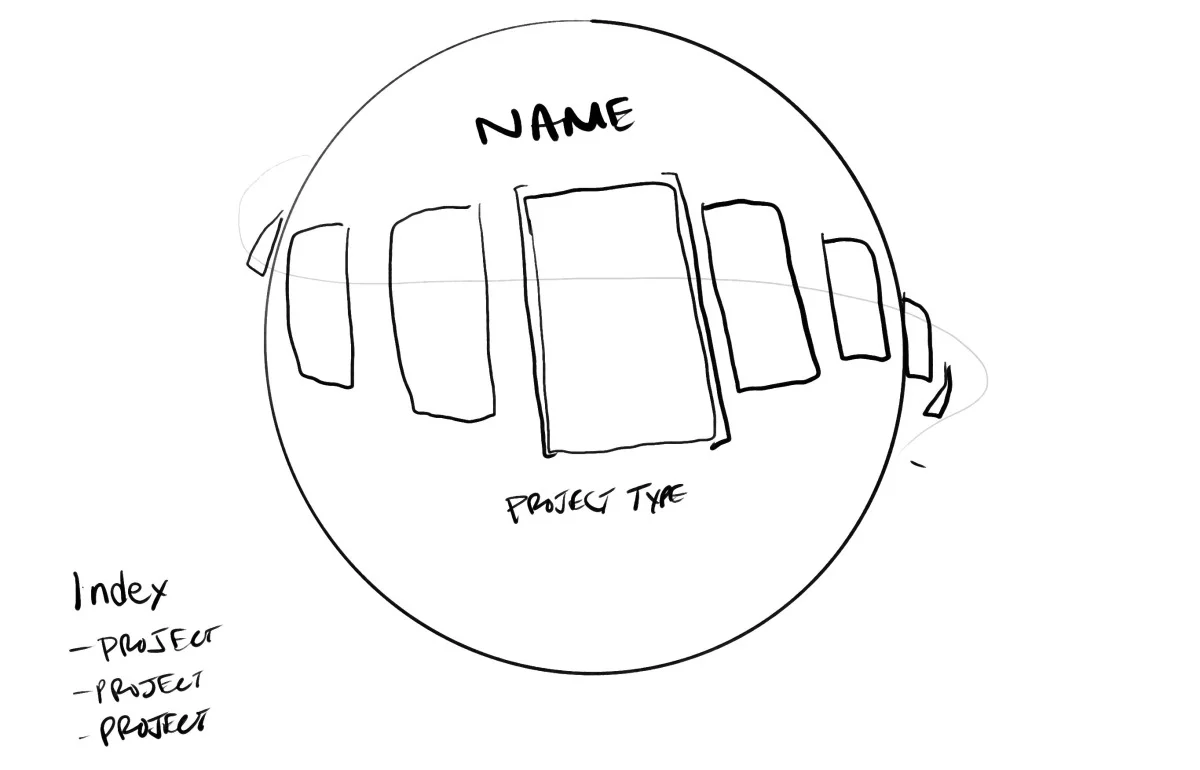
My vision included a captivating scrolling experience involving an interactive globe featuring various projects. I wanted users to engage with it via swipes or scrolls. Adding a rotating disc model was crucial to evoke that nostalgic console startup sensation.
Technological Foundations
- Three.js: Core framework for 3D rendering
- GSAP: For managing animations smoothly
- Lenis: Smooth scrolling functionality
- Vite: Development and build tool
- Web Audio API: To deliver immersive sound experiences
- No framework: Emphasis on vanilla JS & ES modules
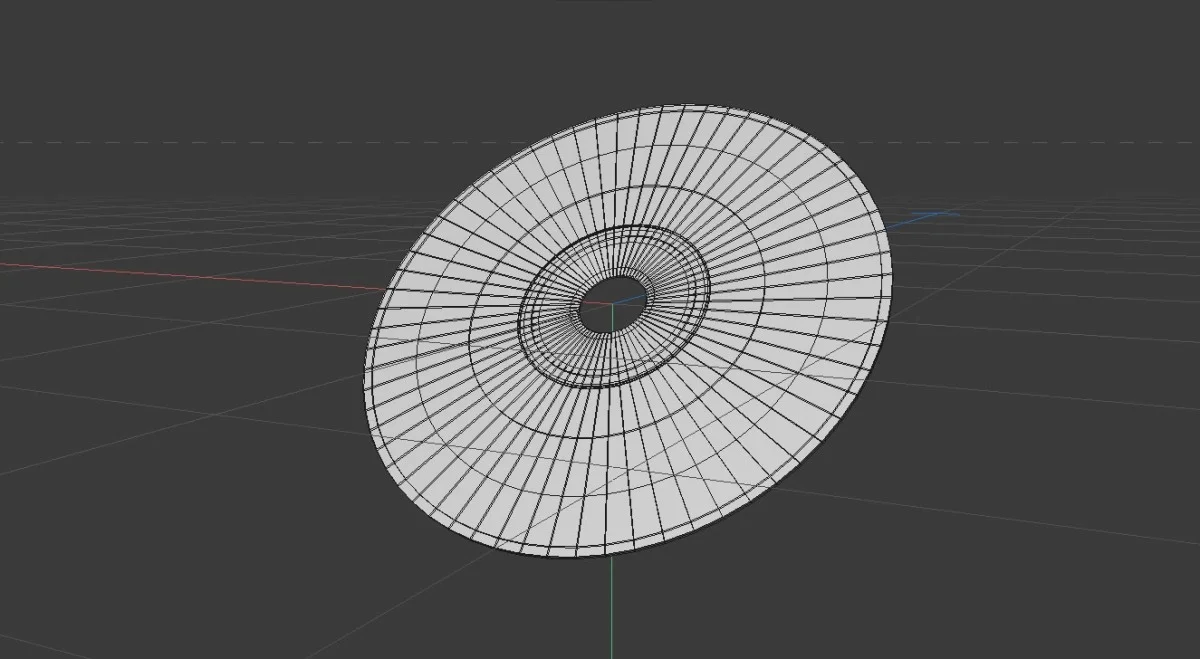
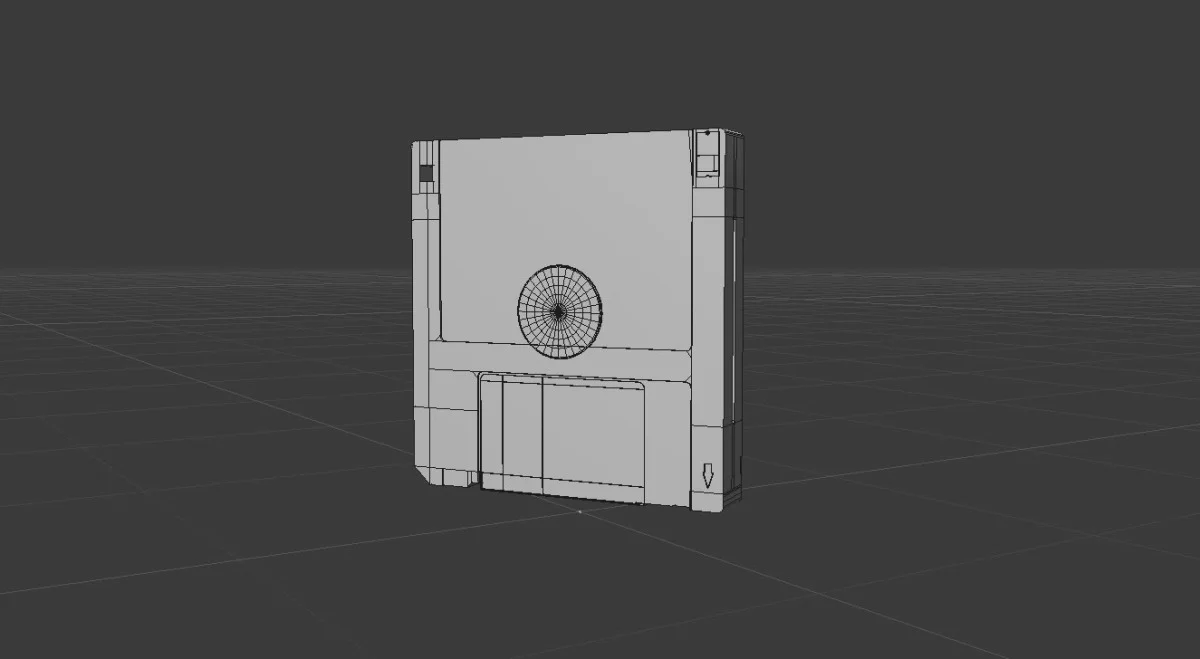
- Cinema4D: For modeling assets like CDs and floppy disks converted to GLB for WebGL
Engaging User Experience
A primary goal was to create a cohesive experience from the preloading stage through to the project transitions. The “Insert Disc” screen is a centerpiece, designed to foreground audio rather than treat it as an afterthought. For the rotating disc, I utilized a straightforward CSS rotation to keep the code simple and efficient. The preloader also echoes the branding by swapping O’s for 0’s in the loading animation.
Creating the animations for the thumbnail images took considerable effort. Initially, I envisioned a physical spiral path, but this produced mechanical movements. Ultimately, I realized the spiral effect stems from modifying angles and radii independently, allowing for a much more organic motion.
// angle and radius are tweened independently — no path involved
const placePreviews = () => {
    for (let i = 0; i < prevEls.length; i++) {
        const a = ((PREV_ANGLES[i] + orbit.t) * Math.PI) / 180;
        gsap.set(prevEls[i], {
            x: Math.cos(a) * prevState[i].r,
            y: Math.sin(a) * prevState[i].r,
        });
    }
};

// the gather: angle SPEEDS UP while every radius collapses to zero
out.to(orbit, { t: '+=140', duration: 1.3, ease: 'power1.in' }, 0);
prevEls.forEach((el, i) => {
    out.to(prevState[i], { r: 0, duration: 0.55, ease: 'power2.in' }, 0.09 * i);
});
The stagger of 0.09 seconds allows for trailing thumbnails to maintain motion while leading ones disappear into the center.
Global Considerations
When designing the globe, one persistent challenge was maintaining an appealing visual angle. At times, visibility of the poles detracted from the aesthetic. Ultimately, I opted for an orthographic view to achieve a precise look, drawing inspiration from flat drawings with proper curvature to retain visual fidelity.
An additional obstacle was the project band hugging the carousel. I wanted an organic and engaging entry rather than a mere straight line, leading to multiple adjustments for optimal curvature consistent with the sphere's shape.
One innovative feature is somewhat concealed. The globe’s detent enables it to snap into position based on multiples of tiles, yet the meridian rotation remains independent, ensuring a fresh visual experience with each interaction.
const TILE_STEP     = (Math.PI * 2) / projects.length;
const MERIDIAN_STEP =  Math.PI / MERIDIAN_COUNT;

// snapping so one detent = exactly one meridian step
const GLOBE_SPIN =
    (Math.max(1, Math.round(0.6 * TILE_STEP / MERIDIAN_STEP)) * MERIDIAN_STEP) / TILE_STEP;
Mobile functionality posed its own challenges; earlier iterations led to sluggish project transitions. The culprit was a conflict between responsive dragging and release logic. By simplifying the final touch gesture's logic, I enhanced this interaction.
const dir = netDX > 0 ? -1 : 1;
// snap from where the gesture STARTED, not from the half-rotated current value
targetRot = (Math.round(touchStartRot / step) + dir) * step;
Interactive Elements
To introduce interactivity, I focused on user inputs during mouse movements. The globe's rotation responds to scrolling, while the central disc maintains its independent spin when idle.
On project pages, hovering over icons creates a liquid-like distortion effect, achieved through a combination of flow maps and velocity fields. This effect is designed to feel dynamic and responsive without causing immediate positional tracking, leading to an organic visual experience.
vec3 prev = texture2D(uPrev, vUv).rgb * 0.94;   // decay creates a trail
prev += vec3(uVel * s, s * length(uVel));       // based on velocity, not position

// red and blue sample at different offsets to create chromatic aberration
float cr = texture2D(uMap, uv + flow * 0.05).r;
float cb = texture2D(uMap, uv - flow * 0.05).b;
Aesthetic Choices
The dithered aesthetic resonates with the iconic style of Y2K gaming. I integrated this throughout the site via Bayer dithering for shaders, providing an authentic and nostalgic visual experience.
For the central spinning disc, I experimented with various methods to achieve an authentic depiction of a CD. This involved fine-tuning the gradient patterns to align with real-world observations rather than overly stylized approaches.
float sweep = dot(normalize(vDiscNormalV), normalize(-vViewPosition));

// this sweep term ensures the reflection pivots correctly
float axis   = ang - sweep * 1.6;
float bowtie = pow(abs(cos(axis)), 6.0);   // creating the characteristic cross-section of a CD

// spectral fringe effects for realism in lighting
float edge   = sin(axis * 2.0);
vec3  fringe = hsv2rgb(vec3(fract(0.30 + edge * 0.22), 0.85, 1.0));
Three.js proved invaluable, allowing for seamless texture applications on GLBs. This streamlined the process, as extraneous texture details could be efficiently simplified, significantly reducing file sizes without compromising visual fidelity.
Smooth Transitions
With a focus on creating a seamless experience, intentionality came into play with the transitions throughout the site. Transitioning from the landing page to project details required meticulous planning and design elaboration.
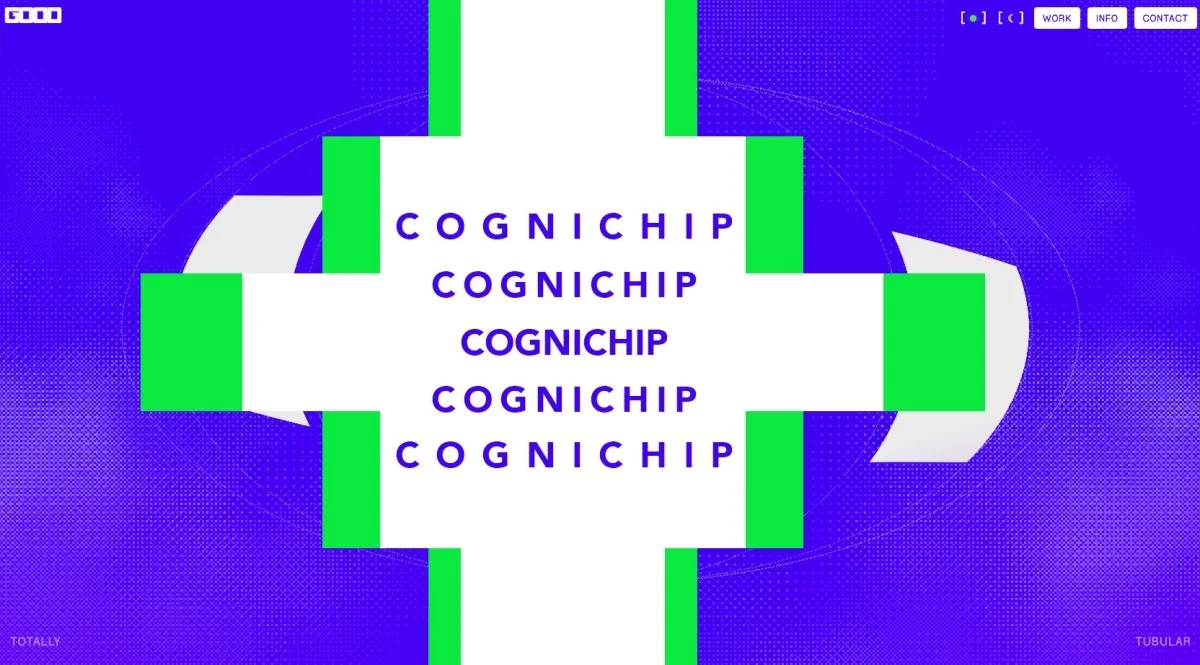
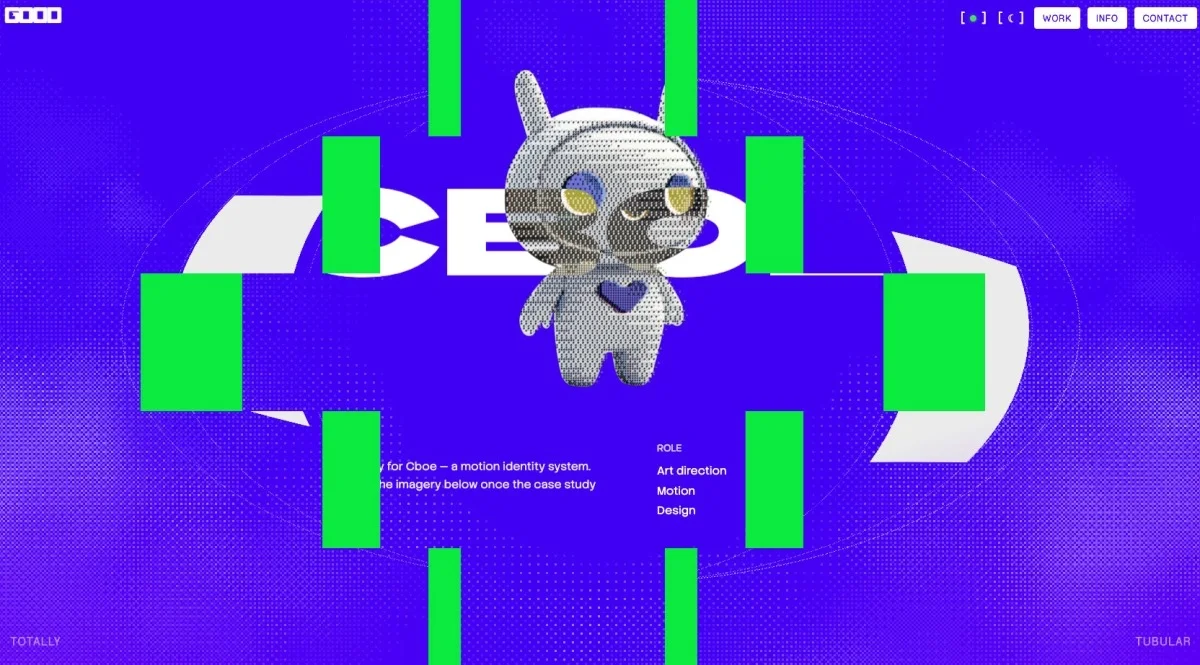
This transition method avoids fading and instead employs a five-band wipe to introduce the project title before displaying the full content. Each band functions as an overflow-hidden unit that collapses to reveal the project seamlessly—every element must align with precision to create a cohesive unveiling.
// each half clips a different horizontal slice, aligning titles perfectly
inner.style.top = `${-top}dvh`;

// collapsing halves to zero width creates a reveal effect — each leading band serves as a track matte
pwHalves.forEach((pair, i) => {
    tl.to(pair, { width: 0, duration: 0.6, ease: 'power3.inOut' },
    1.8 + Math.abs(i - (pwHalves.length - 1) / 2) * 0.07);
});
The page transitions stand out as an essential component of the overall user experience. A progress fill indicates to users when to expect the next visual reveal, enhancing engagement. However, achieving a smooth motion during this process proves more complex than expected, requiring tweaks for optimal scrolling behavior.
Preventing disruptive scrolling behavior posed challenges, with quick user actions propelling them well beyond intended sections. Ultimately, establishing a lock on the icon's position until transitions complete solved these issues.
const IDLE_MS  = 220;  // window for idle detection
const MAX_WAIT = 4000;   // fail-safe cap

const settle = () => {
    const now = performance.now();
    if (now - _swallowLastInput < IDLE_MS && now - t0 < MAX_WAIT) {
        requestAnimationFrame(settle);   // maintaining coast until action completes
        return;
    }
    stopInputSwallow();
    _pinTop = false;
    el.detail.scrollTop = 0;
    transitionLock = false;
};
Sound Design
The audio component of any startup sequence is pivotal. It not only enhances the visual experience but also triggers nostalgic responses. To ensure this aspect resonated correctly, I collaborated with my friend Lane Fujita—together, our shared gaming background informed every sound choice.
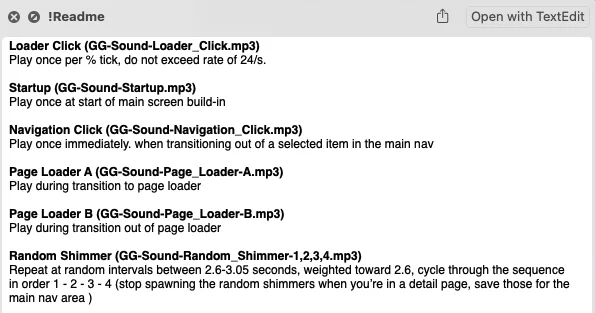
During implementation, performance issues arose linked to audio playback. Initially, the site’s smoothness suffered when the sound was activated—an investigation revealed excessive calls to HTMLAudioElement.play() from the animation frame, overwhelming system resources. Debugging through various tools ultimately revealed the necessity to manage audio scheduling more effectively using the Web Audio API.
By coordinating the audio playback before animations triggered, I managed to alleviate the system strain, allowing for a more polished user experience.